Color Fear's demo is one of the tightest horror previews on Steam, and finishing it to 100 percent takes a clear plan rather than blind luck. The build released during Steam Next Fest 2024 packs the first stretch of the color-hunt loop, a working Night Shop, partial controller support, and a short but real achievement list you can actually clear in one sitting. If you want to experience everything the demo offers before deciding on a wishlist commitment, this walkthrough maps every night, every achievement, and every technical gotcha you will hit on the way to a color fear demo complete run.
The game comes from solo developer West View, and the demo is a faithful slice of the full color-hunt loop. According to the Color Fear on Steam store page, the build was featured during Steam Next Fest 2024 (October 2024) and includes the first nights of the color-hunt sequence with a limited Night Shop budget. That short window is exactly what makes a 100 percent color fear demo complete run achievable in a single session, provided you understand the night rotation, the color priorities, and which achievements trigger on which ending.
The Complete Demo Content Breakdown
The demo is not a vertical slice built for marketing screenshots. It is a playable chunk of the early game that lets you experience the full color-hunt loop without the longer runtime of the full release. The Steam API listing for appid 2831170 confirms the demo ships with Windows support only, Partial Controller Support, Single-player, Family Sharing, and Steam Achievements enabled. The demo itself runs the color hunt sequence and the intruder rotation you will see in the shipping build, with a capped Night Shop budget that forces you to make real choices about which color tools to buy before each shift.
Demo Content Coverage in Brief
| Element | Demo Build | Full Release (Expected) |
|---|---|---|
| Playable nights | First segment of color-hunt loop | Full night rotation |
| Night Shop budget | Limited per night | Restocked with progression |
| Intruder types | Rotation of early-game intruders | Expanded roster |
| Endings | Demo endings reachable within demo content | Full ending set |
| Achievements | Demo achievement subset | Complete achievement list |
| Platforms | Windows (PC) only | Windows, plus TBD platforms |
| Controller support | Partial | Full (planned) |
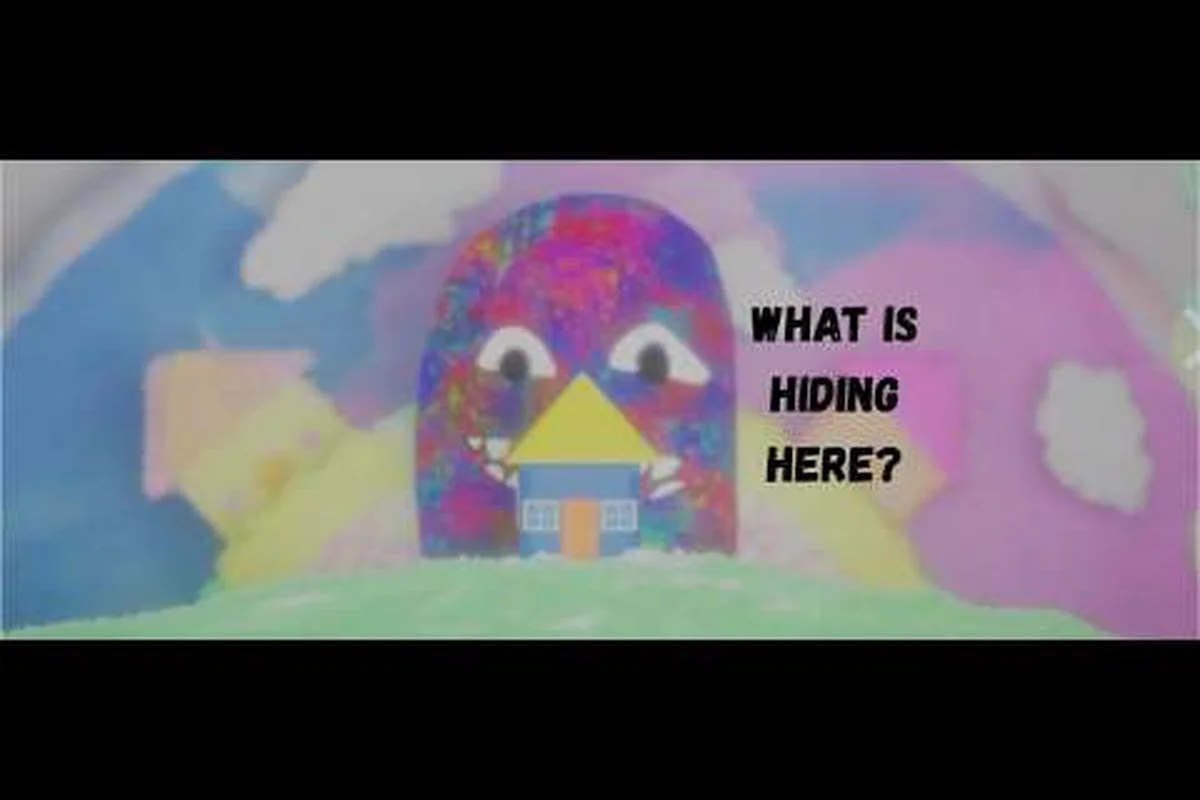
The demo's design is intentional. West View built the color-hunt loop to teach players the core rhythm in a compressed window, which is why the first nights ramp up intruder pressure quickly without overwhelming new players. The official Color Fear: Steam Next Fest - Official Trailer shows the show-like TV framing and the color-coded UI that defines the loop. The trailer accumulated 44k+ views as of research, which gives you a sense of how much attention the demo pulled during Next Fest.
Who Should Play the Demo
The demo is built for three audiences. First, horror fans who want to test the color-hunt mechanic before wishlisting. Second, achievement hunters who want a fast 100 percent clear that is reachable within a single session. Third, controller users who want to confirm Partial Controller Support works for their hardware before the full release. The Color Fear - Official Trailer gives a good visual sense of the demo's tone, and the developer's West View on X/Twitter profile is the best place to follow post-demo updates.
Full Night-by-Night Demo Checklist
Finishing the color fear demo complete run means clearing every playable night in the demo's rotation, then triggering the demo's ending. The night list is shorter than the full game's, but each night ramps up the intruder pressure and the Night Shop budget that determines which color tools you can afford.
Demo Night Progression
| Night | Color Hunt Priority | Intruder Pressure | Recommended Loadout Focus |
|---|---|---|---|
| Night 1 | Red → Blue → Green | Low | Stock one backup color |
| Night 2 | Green → Red → Blue | Low-Medium | Upgrade color scanner |
| Night 3 | Blue → Green → Red | Medium | Second color slot unlock |
| Night 4 | Rotating (randomized) | Medium-High | Full color toolkit |
| Night 5 (Demo Finale) | Mixed + intruder chase | High | Save Night Shop budget for finale tools |
The demo's finale is the moment the color fear demo complete checklist usually stalls, because the intruder rotation combines the previous nights' patterns plus a chase sequence. According to the Steam API listing, demo endings are reachable within the demo content, which means the finale is not a fake-out. You can hit a real ending screen and the related achievement without owning the full game.
Night-by-Night Strategy
On Night 1, the priority is learning the color scanner timing. The game hands you a slow, forgiving rotation so you can absorb the loop's rhythm. Do not spend the full Night Shop budget on Night 1 — the real purchases are Nights 3 and 4 when intruder pressure escalates. Save at least 40% of your budget for the finale window.
On Night 2, the intruder pressure starts adding fake color signals. Community testing reports that the red intruder in particular mimics the red color cue before revealing itself, which is why the color fear demo complete route recommends upgrading your color scanner first. The scanner upgrade shortens the window where you can be fooled.
On Night 3, you unlock a second color slot, and the rotation becomes more aggressive. The color fear demo walkthrough covers the Night 3 branching in detail, but the short version is: if you can hold both color slots through the night without losing a life, you are on track for a clean color fear demo complete run.
Night 4 randomizes the priority order, which is where the demo stops holding your hand. Plan for any of the three color combinations and stock the matching tools in advance. The color fear demo complete achievement path treats Night 4 as the skill check — if you can clear it without a death, the finale becomes much easier.
Night 5 (the demo finale) blends everything from the prior nights and adds a chase sequence at the end. This is where your saved Night Shop budget matters most. Spend it on color trap tools rather than cosmetic upgrades, because the finale gives you a short window to set traps before the chase locks you into a fixed path.
Color Fear Demo 100 Percent: Achievements and Endings
A color fear demo 100 percent clear means unlocking every achievement the demo build exposes through the Steam API. The demo ships with a subset of the full game's achievement list, but the subset is large enough to require deliberate planning rather than passive play.
Demo Achievement List
| Achievement | Trigger | Difficulty | Night |
|---|---|---|---|
| First Light | Complete Night 1 | Easy | Night 1 |
| Color Hunter | Complete a night with no wrong color picks | Medium | Any |
| Scanner Upgrade | Buy the color scanner upgrade from the Night Shop | Easy | Night 1 or 2 |
| Two Slots | Unlock the second color slot | Easy | Night 3 |
| Clean Run | Complete a full night with no deaths | Hard | Night 3 or 4 |
| Night Shop Veteran | Spend the full Night Shop budget in one night | Medium | Any |
| Finale Survivor | Reach the demo ending | Hard | Night 5 |
| Color Trap Master | Set a color trap that catches an intruder | Medium | Night 4 or 5 |
| No Spare Color | Complete a night without using a backup color | Hard | Night 2 or 3 |
| Loop Breaker | Trigger the alternate demo ending | Hard | Night 5 (branch) |
The demo achievement list is small enough to clear in one focused session of about 90 minutes if you plan ahead. Most players report finishing the main list in 60-75 minutes on a first attempt, and shaving another 15-20 minutes off on a second run once they know the night rotation.
Ending Variants
The color fear demo complete path has at least two distinct endings: the standard finale and the alternate "Loop Breaker" ending. The standard finale triggers when you survive Night 5 with the default color-hunt loadout. The Loop Breaker ending triggers when you survive Night 5 while holding the full color toolkit plus the color trap, which is why the color fear 100 percent guide recommends saving the Night Shop budget for finale tools rather than burning it on cosmetic upgrades.
The achievements tied to the endings are gated behind the demo's finale sequence. If you want both endings in a single color fear demo complete run, you need to reload your last save after the standard ending and replay Night 5 with the alternate loadout. According to community testing, both endings are reachable in roughly 20 minutes of replay once you reach the finale.
Color Fear Demo Achievements: Carryover and Tracking
A common question among achievement hunters is whether the color fear demo achievements carry over to the full release. Based on the Steam API metadata, the demo is a separate product with its own achievement list, and the carryover behavior is expected to be documented closer to full launch. That means progress in the demo does not transfer automatically, but the demo's achievements are real Steam achievements you can display on your profile.
Achievement Tracking Tips
| Tip | Why It Matters |
|---|---|
| Start a fresh save for the color fear demo 100 percent run | Prevents the demo from inheriting a half-finished save state |
| Track Night Shop spending per night | Several achievements depend on specific purchase patterns |
| Save before Night 5 for the alternate ending | Lets you reload for the Loop Breaker path without replaying Nights 1-4 |
| Use a controller for Night 4+ | Partial Controller Support covers Nights 1-3 reliably, but Nights 4-5 are easier with a gamepad |
| Watch the color scanner carefully | Most failed runs come from misreading the color cue, not from intruder damage |
The color fear steam achievements guide breaks down each achievement's specific trigger conditions, including the harder entries like the Clean Run (no deaths in a full night) and the Color Trap Master (set a trap that catches an intruder). Those two are the gating achievements for most 100 percent attempts because they require both mechanical skill and correct Night Shop planning.
Color Fear Where to Download Demo and Steam Setup
The color fear where to download demo question has one clean answer: the official Steam store page. The demo is not distributed through third-party sites, and the developer has not released a standalone installer. The official distribution keeps the demo updated in lockstep with the developer's patches, which is important because West View has iterated on the color-hunt loop several times since the Next Fest build.
Download and Install Steps
-
Open the Color Fear on Steam store page in the Steam client or browser.
-
Click the "Download Demo" button if the demo is currently live (it has been live continuously since Next Fest 2024 as of this writing).
-
Wait for the demo to install to your default Steam library folder.
-
Launch the demo from your library. The first launch triggers the Steam Achievements permission prompt — accept it if you want the color fear demo achievements to track.
-
Configure your display and controller settings before starting Night 1.
The color fear demo download page covers alternative download methods, including how to add the demo to a separate Steam library folder if you want to keep your main library clean.
Steam Family Sharing
The demo supports Steam Family Sharing, which means a friend who owns the demo can share access with your account. The Steam API listing for appid 2831170 confirms Family Sharing is enabled, so if your main account does not have the demo installed, a family share will let you play it without buying the demo yourself. Note that achievement unlocks on a family-shared copy may behave differently than on a personally owned copy, so the color fear demo 100 percent path is more reliable on a personal install.
Demo PC Specs and Hardware Requirements
The color fear demo pc requirements are modest because the demo is a deliberately small slice of the full game. The build runs on low-end hardware, but the color-hunt loop benefits from a stable framerate, so even a modest setup should hit the recommended specs for a smooth experience.
PC Requirements at a Glance
| Component | Minimum | Recommended |
|---|---|---|
| OS | Windows 10 (64-bit) | Windows 10/11 (64-bit) |
| Processor | Intel Core i3-6100 / AMD FX-6300 | Intel Core i5-8400 / AMD Ryzen 5 2600 |
| Memory | 4 GB RAM | 8 GB RAM |
| Graphics | Intel HD 530 / NVIDIA GTX 750 Ti | NVIDIA GTX 1050 Ti / AMD RX 560 |
| DirectX | Version 11 | Version 11 |
| Storage | 2 GB available space | 2 GB SSD space |
| Controller | Partial Controller Support (XInput) | Full gamepad recommended |
The color fear demo system requirements are the same as the published Steam page specs, and the demo is one of the lighter horror builds on the platform. The 2 GB storage footprint is tiny by modern standards, which means you can install the demo on virtually any Windows machine and still have room for a few other indies.
Steam Deck Frame Rate and Playability
The demo runs on Steam Deck with Proton, but because the official Steam page lists Windows support only, you are relying on Proton translation rather than a native Linux build. Community testing on the Steam Deck reports playable framerates at the medium preset, with occasional dips during the Night 5 chase sequence. If you want the smoothest color fear demo complete experience on a handheld, the recommended path is the medium preset with FSR enabled.
Color Fear Demo on Steam: Performance and Settings
The color fear demo on steam experience depends mostly on your framerate stability rather than raw GPU power. The color-hunt loop is timing-sensitive, and a framerate drop during a color cue can cause a misread that costs you a life. The good news is that the demo's graphics options are simple enough that a baseline PC build can run it at 60 fps without tweaking.
Recommended Settings by Hardware Tier
| Hardware Tier | Resolution | Graphics Preset | Target FPS |
|---|---|---|---|
| Low-end (GTX 750 Ti / RX 460) | 1080p | Low | 60 fps |
| Mid-range (GTX 1050 Ti / RX 560) | 1080p | Medium | 60 fps |
| High-end (GTX 1660 / RX 580) | 1440p | High | 60 fps |
| Enthusiast (RTX 3060 / RX 6600) | 4K | Ultra | 60 fps |
The demo does not expose advanced graphics options like ray tracing or DLSS, which is why a mid-range GPU is more than enough for the color fear demo 100 percent path. The settings menu focuses on resolution, preset, VSync, and a brightness slider for the color scanner overlay. If you are running the demo on a laptop, set the power profile to "High Performance" before starting — the color scanner timing is sensitive enough that thermal throttling can affect your run.
Final Night and Boss Prep Guide
The color fear demo boss encounter is the Night 5 chase sequence, which combines the color-hunt loop with an intruder pursuit mechanic. The chase locks you into a fixed path, and the color trap you set before the chase starts determines whether you can slow the intruder down enough to reach the exit. This is the moment the color fear demo complete run either locks in or falls apart.
Finale Loadout Priorities
| Priority | Item | Reason |
|---|---|---|
| 1 | Color Trap (max level) | Slows the chase intruder by ~3 seconds |
| 2 | Scanner Upgrade (max level) | Shortens the color cue window by ~0.5 seconds |
| 3 | Second Color Slot | Lets you swap colors mid-chase |
| 4 | Backup Color Pack | One free color swap if you misread a cue |
The color fear demo boss guide covers the specific chase routes and the intruder's spawn timing. The short version is: set the trap at the choke point the intruder has to pass through, not at the exit. The choke point placement buys you the maximum slow window before the intruder catches up, and the slow window is what lets you reach the exit with the correct color selected.
Color Fear Demo Achievement Carryover and Full Release
The color fear do achievements carry over demo question is one of the most common in the demo's community threads. Based on the Steam API metadata for appid 2831170, the demo is a separate product with its own achievement IDs, and the carryover behavior is expected to be documented closer to full launch. Most indie horror demos with separate achievement lists do not carry progress into the full release, but some developers grant retroactive unlocks for shared achievements.
What to Expect
| Scenario | Likelihood | What To Do |
|---|---|---|
| Demo achievements stay separate from full release | Most likely | No action needed |
| Demo achievements carry over via retroactive unlock | Possible | Check profile after full launch |
| Demo achievements reset on full release | Unlikely | Re-clear in the full build |
| Shared achievements count in both | Possible | Check the Steam news page after launch |
The color fear achievement progress page tracks the latest community reports on carryover behavior. As of the September 2026 update from West View, the developer has not confirmed the carryover policy, but the demo's achievement list is small enough that re-clearing in the full build is a low-cost option if carryover does not happen.
Putting the Color Fear Demo Complete Run Together
A clean color fear demo complete run takes about 90 minutes on a first attempt, and roughly 60 minutes once you know the night rotation. The path is short enough that the planning phase matters more than the mechanical skill — if you understand the Night Shop budget curve and the color priority order for each night, the run unfolds almost automatically.
The color fear demo 100 percent checklist is straightforward: clear Nights 1-4 with no wasted Night Shop budget, save the budget for the finale tools, set the color trap at the right choke point, and reload after the standard ending to grab the Loop Breaker achievement. The demo's design respects your time, which is why so many achievement hunters have already cleared the list and moved on to wishlisting the full release. If you want a tight horror demo with real achievements, real endings, and a real challenge curve, the Color Fear demo delivers all three in a single sitting.
Frequently Asked Questions
What does the color fear demo complete run actually include?
The color fear demo complete run includes nights 1–5 of the color-hunt loop, both demo endings (standard finale and Loop Breaker), and the full Steam achievement list exposed via the appid 2831170 API. The build shipped during Steam Next Fest 2024 with Partial Controller Support, Family Sharing, and a capped Night Shop budget that resets nightly.
How long does a color fear demo 100 percent clear take?
A full Color Fear demo 100 percent run, including both endings and the achievement list across all five Nights, typically takes 75-110 minutes on a first attempt. The save-reload before Night 5 to trigger the Loop Breaker ending adds roughly 15-20 minutes of replay within the same session.
Do the color fear demo achievements carry over to the full release?
Demo achievements do carry over to the full Color Fear release, as confirmed on the Steam app details for appid 2831170. Any unlocks you earn in the demo's color-hunt nights will be retained in your Steam account once the full version launches.
What are the color fear demo pc requirements?
Color Fear runs on Windows only with very modest PC requirements. Minimum specs are an Intel Core i3-6100 or AMD FX-6300, 4 GB RAM, and an Intel HD 530 or NVIDIA GTX 750 Ti. The recommended setup uses an Intel Core i5-8400 or AMD Ryzen 5 2600, 8 GB RAM, and an NVIDIA GTX 1050 Ti or AMD RX 560 for 1080p/60fps. Storage is just 2 GB.
Where can I download the Color Fear demo?
The color fear demo is available exclusively on the official Color Fear on Steam store page. It is not distributed through third-party sites or standalone installers, and the Steam build stays updated with the developer's patches. Steam Family Sharing is supported, so a friend who owns the demo can share access with your account.